
Setup for ChatGPT
You can use Veltra Activities from ChatGPT. No account required to search activities. You will need a Veltra account to make bookings on veltra.com.
Steps
- Open ChatGPT (web or desktop).
- Open the Apps directory (sometimes labeled Connectors).
- Search for Veltra Activities.
- Click Add on the Veltra Activities listing.
- Start a new conversation. ChatGPT will use Veltra automatically when it detects a relevant request.
No login required to use the connector. It's read-only and collects no account information — Veltra receives nothing from your AI client. The connector returns links to veltra.com; to actually book or reserve an activity, you'll sign in on veltra.com.
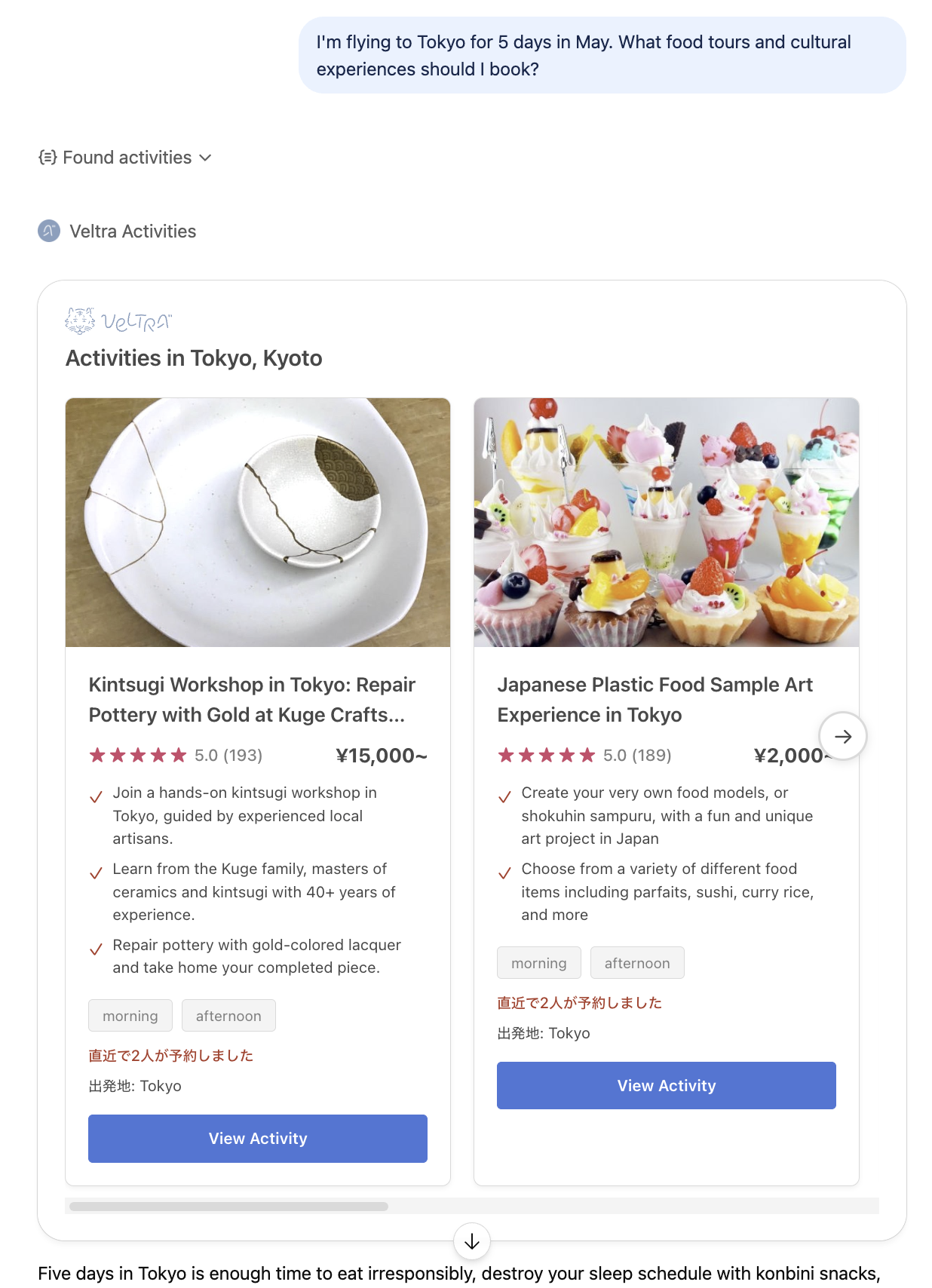
Card-grid rendering. Results render as a Veltra-styled card grid in ChatGPT versions that support the Apps SDK widget protocol. On older versions, results fall back to a plain text list.
Try it
Once connected, paste any of these prompts into ChatGPT:
Trip planning
I'm flying to Tokyo for 5 days in May. What food tours and cultural experiences should I book?
Targeted search
Find half-day Mt. Fuji tours from Tokyo with English-speaking guides under ¥15,000.
Local discovery
What sake tasting experiences are available in Kyoto?
Same-day options
I'm in Osaka tonight — show me a good night walking tour I can still book.